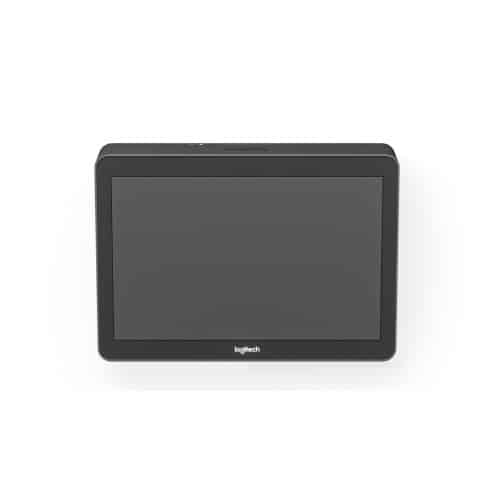
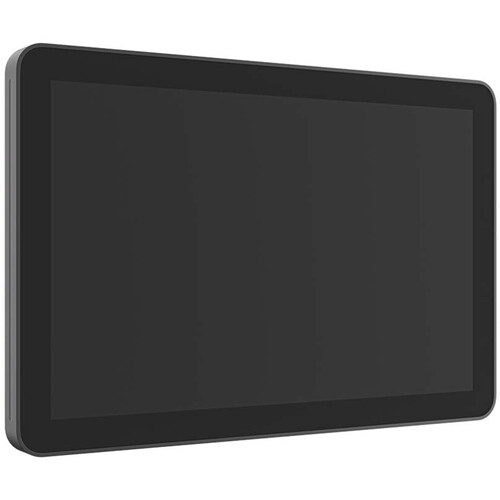
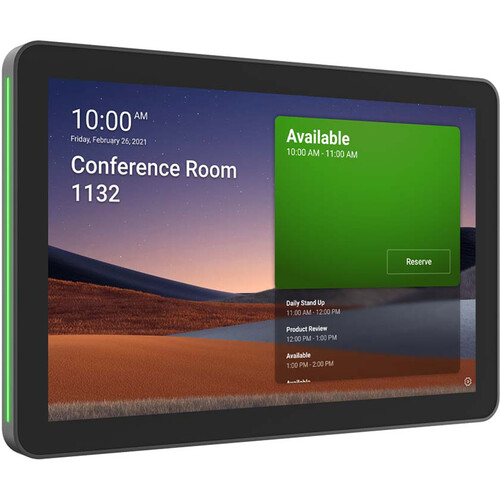
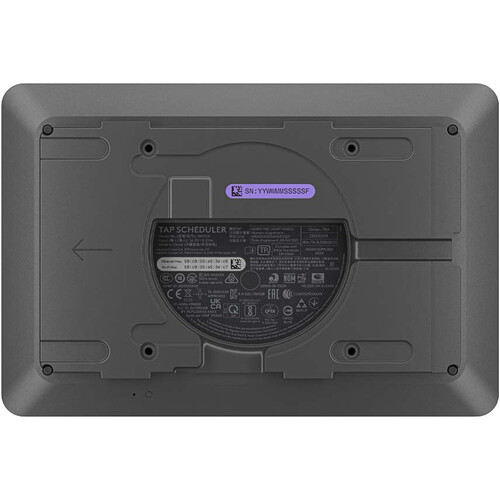

Better utilize meeting and conference rooms in your office with the graphite Tap Scheduler LCD Scheduling Display from Logitech. Using the included mounts and built-in cable management, the Tap Scheduler is designed to provide a sleek and professional appearance outside any room. Once installed, employees can use the easy-to-read 10.1" touchscreen to view room information, book a meeting for a specific time and date, or claim an unoccupied room for an impromptu chat. With red and green LED borders, it's easy to see if a room is available at a distance. The panel is powered by your company's existing PoE network, or via a PoE injector and ethernet cable (not included), and integrates with a host of popular communication platforms.
- Full Disk Encryption: AES-128
- Data Encryption: Symmetric Keys and PKI
- Device Identity: Protected by device attestation
- Key Protection: Arm TrustZone and RPMP
Logitech Tap Scheduler LCD Scheduling Display (Graphite) Specifications Table
| Specification | Details |
|---|---|
| Display | 10.1-inch IPS LCD |
| Resolution | 1280 × 800 |
| Touch Type | Capacitive multi-touch (10-point) |
| Brightness | ~400 nits |
| Connectivity | Ethernet (PoE), Wi-Fi |
| Power | PoE / PoE injector |
| Mounting | Wall, glass, mullion |
| Orientation | Landscape |
| Operating System | CollabOS |
Logitech Tap Scheduler LCD Scheduling Display (Graphite) Price in Kenya
| Product | Price (KES) (approx.) |
|---|---|
| Logitech Tap Scheduler LCD Scheduling Display (Graphite) | 85,000 – 105,000 |
Logitech Tap Scheduler LCD Scheduling Display (Graphite) Performance
- Fast and responsive room booking interface
- Reliable real-time synchronization with calendar systems
- Stable operation in enterprise environments
- Efficient meeting room utilization and scheduling control
- Minimal downtime with PoE-powered connectivity
Logitech Tap Scheduler LCD Scheduling Display (Graphite) Build Quality and Design
- Sleek graphite finish suitable for modern offices
- Durable 10.1-inch tempered glass touchscreen
- Slim, wall-mounted professional design
- Anti-fingerprint coating for clean appearance
- Integrated cable management for tidy installation
Logitech Tap Scheduler LCD Scheduling Display (Graphite) Connectivity and Compatibility
- Works with Microsoft Teams Rooms, Zoom Rooms, Robin, and more
- Ethernet PoE connectivity for power and data
- Cloud management via Logitech Sync
- Compatible with enterprise scheduling platforms
- Supports network-based deployment and monitoring
Logitech Tap Scheduler LCD Scheduling Display (Graphite) User Interface and Controls
- Touch-based room booking interface
- Instant meeting reservation and check-in
- Color-coded room availability indicators
- Simple navigation for end users
- Admin-controlled configuration via cloud tools
Logitech Tap Scheduler LCD Scheduling Display (Graphite) Durability
- Designed for continuous 24/7 office use
- Scratch-resistant glass surface
- Reliable performance in high-traffic environments
- Built for long-term enterprise deployment
- Suitable for indoor office environments only
Logitech Tap Scheduler LCD Scheduling Display (Graphite) Pros and Cons
| Pros | Cons |
|---|---|
| Easy room booking and scheduling | Requires enterprise setup and licensing |
| Clean PoE installation (no power adapter clutter) | Expensive for small businesses |
| Strong integration with Teams and Zoom | Not useful without meeting ecosystem |
| Clear availability indicators | Limited standalone functionality |
| Professional office design | Requires IT configuration |
Logitech Tap Scheduler LCD Scheduling Display (Graphite) FAQs
1. What is Logitech Tap Scheduler used for?
It is used to display meeting room availability and allow users to book rooms.
2. Does it work with Microsoft Teams?
Yes, it integrates with Microsoft Teams Rooms and other platforms.
3. Does it need power cables?
No, it uses PoE (Power over Ethernet).
4. Can it work without internet?
No, it requires network connectivity for scheduling sync.
5. Where is it installed?
It is mounted outside meeting rooms on walls, glass, or mullions.
Logitech Tap Scheduler LCD Scheduling Display (Graphite) Conclusion
The Logitech Tap Scheduler LCD Scheduling Display (Graphite) is a professional meeting room management solution that improves workplace efficiency by simplifying room booking and visibility. With its sleek design, PoE installation, and strong platform integration, it is ideal for modern offices and enterprise environments that rely on structured meeting room management.